Your card works. You tapped it at the convenience store this morning and it went through. Then a Korean website refused the same card, twice, with a message you could not read.
You did nothing wrong, and the card is not blocked. Korean websites run one extra check that shops do not, and that check is what failed. It has a name, and once you know what it is asking for, you can fix most of it from your own bank’s app.
The check that shops skip
In a shop, the terminal sees the physical card. Chip, tap, done.
A website only sees sixteen digits and an expiry date. Anyone who has copied those off a receipt has the same thing you have. So Korean payment gateways refuse to take a foreign card on the number alone. They insist on 3D Secure, a step where the site hands you to your own bank for a moment and the bank confirms it is really you, usually with a code sent to your phone or a tap in your banking app.
Korea has its own domestic version of this, branded 안심클릭 (anshim-keullik, “safe click”) or ISP, which is why the popup on a Korean checkout often carries one of those names. For a card issued abroad the check goes to your bank instead, under the brand your bank uses: Visa Secure, which older cards still call Verified by Visa, Mastercard Identity Check, or J/Secure for JCB.
KG Inicis (KG이니시스), the gateway behind a large share of Korean online shops, spells this out on its own help page. Your card issuer must offer 3D Secure, and your card must be enrolled in it, “just like registering for safe click in Korea”. Its reason for refusing anything less is blunt: a payment made on card number and expiry alone carries the fraud and complaint risk, so it does not process them.
So when the checkout dies, one of two things happened. Your bank could not answer the 3D Secure request for that card. Or the shop never signed up to take foreign cards at all.
Which cards get through
Visa, Mastercard and JCB. Those are the three brands KG Inicis names on the help page above, and they are the safe bet on any Korean site that takes foreign cards at all.
American Express, Diners and UnionPay sit in a second tier. The gateway lists them as available, but each shop chooses which brands to switch on, and many stop at the first three. Coupang, the biggest shopping app, is a clear example: its FAQ from 20 July 2026 says overseas Visa, Mastercard and JCB cards in your own name can be registered to its Coupay wallet and used that way, and nothing else.
Look for this word at checkout
Korean checkouts that accept foreign cards usually show a separate button or tab labelled 해외카드 (haeoe-kadeu, “overseas card”) or 해외발급카드 (haeoe-balgeup-kadeu, “card issued overseas”). Pick that one, never the ordinary card button, which is wired for Korean cards and their domestic checks.
If there is no such option anywhere on the page, the shop has no foreign card contract. Taking foreign cards is a separate agreement between the shop and its gateway, with its own review by the card companies. Retrying will not create one. Find another seller.
KG Inicis and Visa admitted the size of this gap themselves when they signed a deal on 5 June 2025 to make foreign cards easier: with 16.97 million foreign arrivals in 2024, “only a tiny number of online merchants” could take a card issued abroad. The fix they described, card tokens and Click to Pay, was still described as in preparation. So the wall is real and it is not you.
Before you fly
Open your banking app or call your bank. Ask whether the card is enrolled in 3D Secure, under whichever name your bank uses. Some banks turn it on for everyone. Some need you to switch it on. A few will tell you the card cannot do it, and then you know to bring a different one.
Turn on international online purchases if your bank has a switch for that. Tell them to expect a charge from KG Inicis or, for tickets, from the ticket seller by name.
Bring a second card from a different bank. Not a second card from the same bank, which will fail the same way. The K-pop ticket guide goes into this, because a presale gives you about a minute to notice the decline and no time to phone anyone.
And keep your phone able to receive the bank’s code. If your home number only works on roaming and you have swapped in a Korean SIM, the text message with the code lands on a SIM that is sitting in your wallet. Either use your banking app for the confirmation, or keep the home SIM active for the ten seconds that matter.
Where you will not hit the wall
The ticketing sites built for overseas fans, NOL World, Melon Ticket Global and YES24 English, take foreign cards as their whole purpose. So do global booking sites like Klook and Trip.com, which never route you through a Korean gateway in the first place.
Baemin, the delivery app, has taken overseas Visa, Mastercard, JCB and American Express through Apple Pay since 2 June 2026. Coupang Eats has taken Visa and Mastercard since July 2025. Where a Korean checkout offers Apple Pay, use it: the wallet does its own identity check, and the 3D Secure popup never appears.
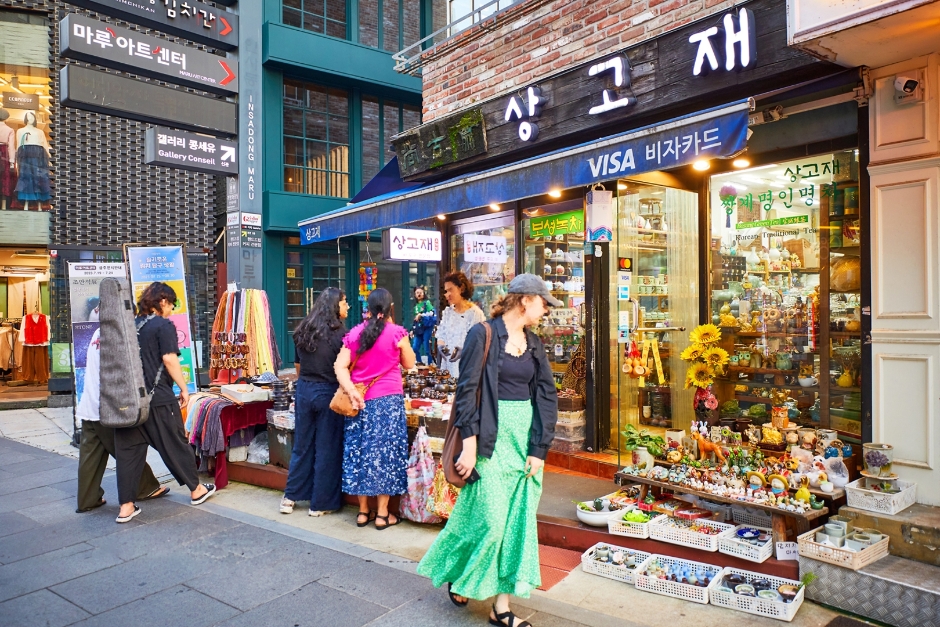
Offline, the picture is better than the websites suggest. Convenience stores, chains and department stores take a foreign card, tapped or inserted. Even the Seoul Metro ticket machines have taken Visa and Mastercard since 17 March 2026, on Lines 1 to 8, for single tickets, the short-term passes and the Climate Card, with a 3.7% fee on foreign cards. Small restaurants and self-order kiosks are the exception. Some of their terminals take Korean cards only, and there the answer is cash.
What no card fixes
KakaoPay, the Naver Pay wallet and Toss do not take a foreign card as a funding source. They sit on a Korean bank account held in a verified name, which a visitor cannot open.
That is changing, slowly. Naver Pay signed an agreement with BC Card and UnionPay on 24 August 2026 to build payment for foreign visitors, with a launch targeted for next year. Until it ships, treat those three apps as closed and use the routes in the verification guide.
One last thing about the decline message itself. When the 3D Secure step never completes, the refusal comes from the Korean gateway, and your bank may have no record of the attempt at all. Nothing sinister happened. The place to look is your bank’s enrolment, and the person who can change it is your bank.